Capture every musical idea,
the moment it hits.

Record, analyze, and organize your ideas in seconds. On-device key, BPM, chord detection, and transcription in 60+ languages. No account. No subscription. No internet required.

Free for iPhone and iPad · iOS 17+
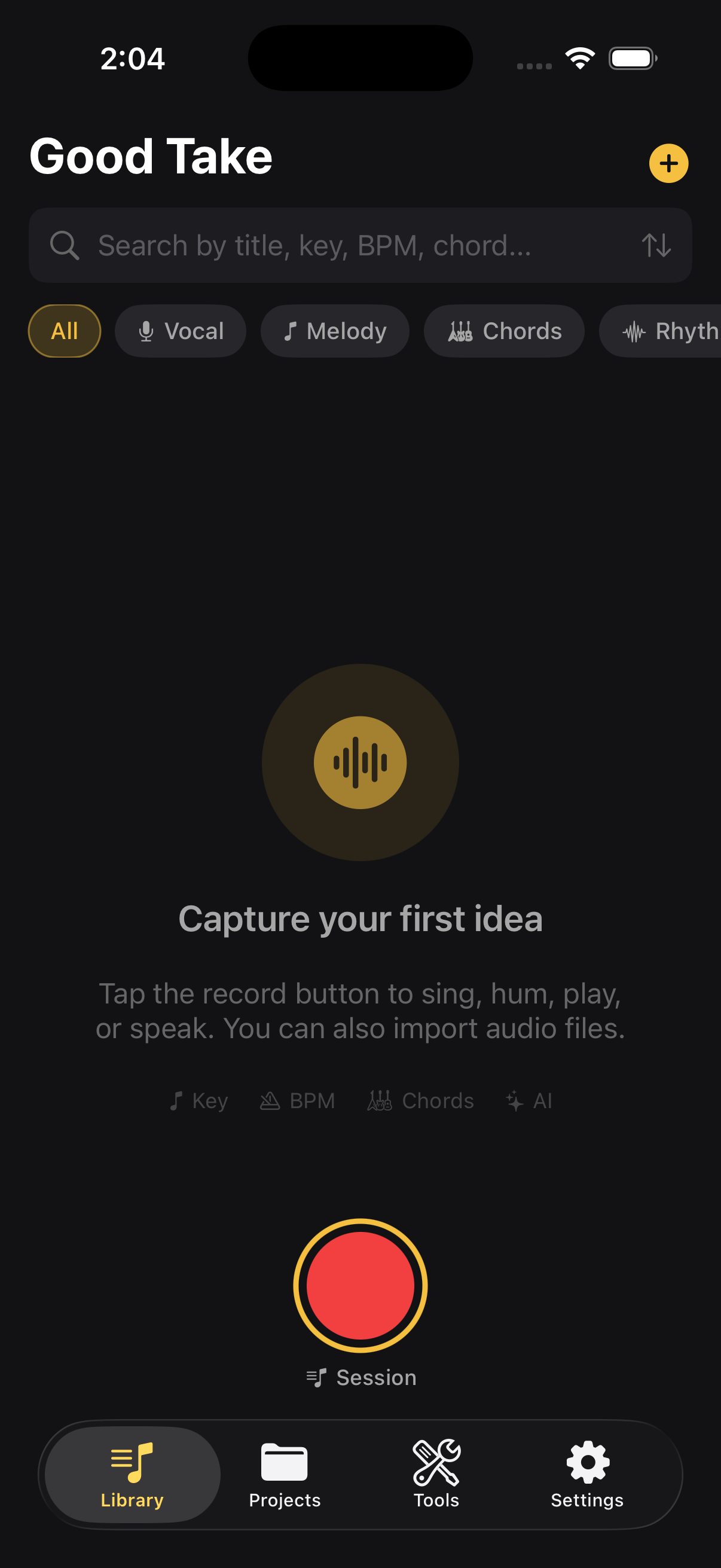
Good Take library view Good Take recording view

Record. Understand. Organize.

Three steps between having an idea and never losing it.

1

Capture

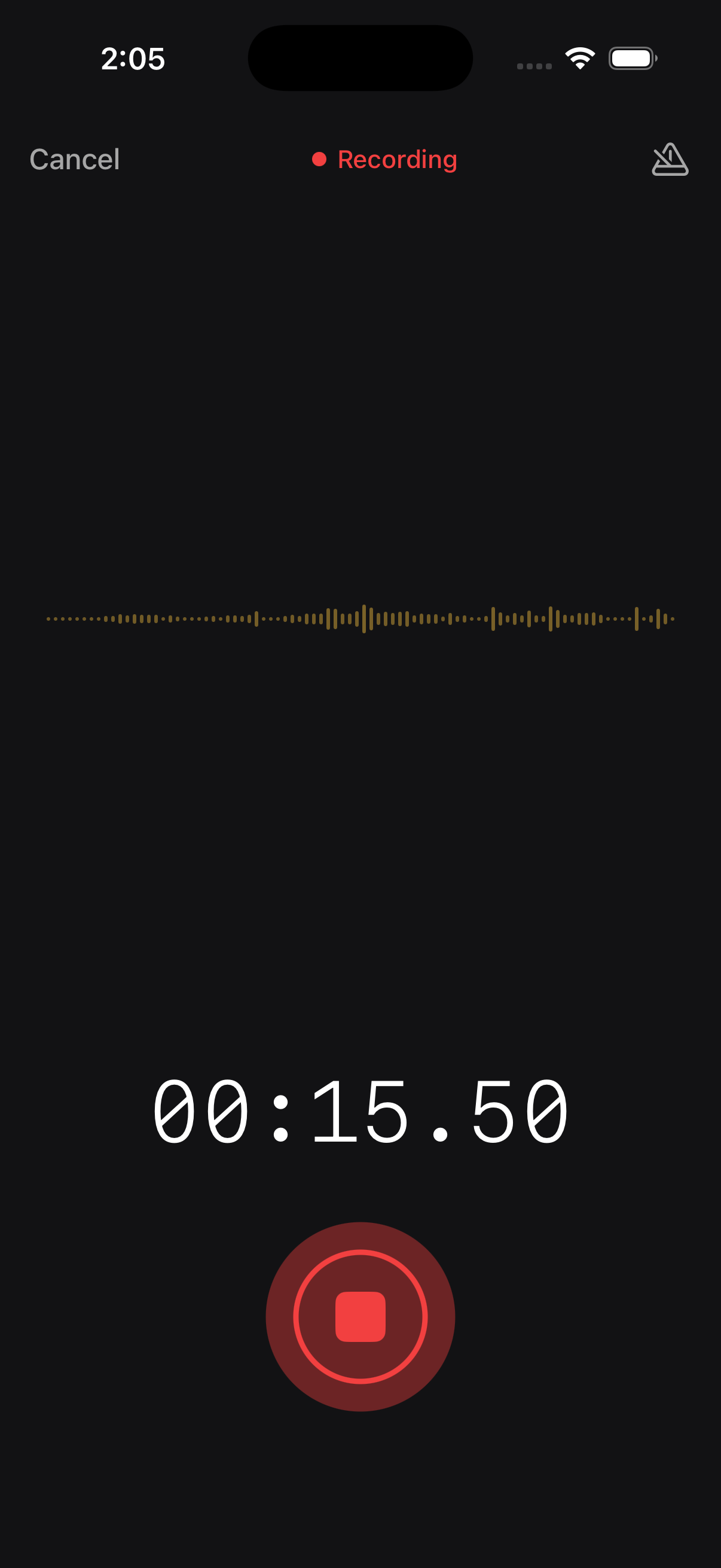
One tap to record. Hum a melody, strum chords, tap a rhythm, or speak lyrics. Import audio from other apps or create text-only ideas. Session mode lets you capture multiple ideas back-to-back without stopping.

2

Understand

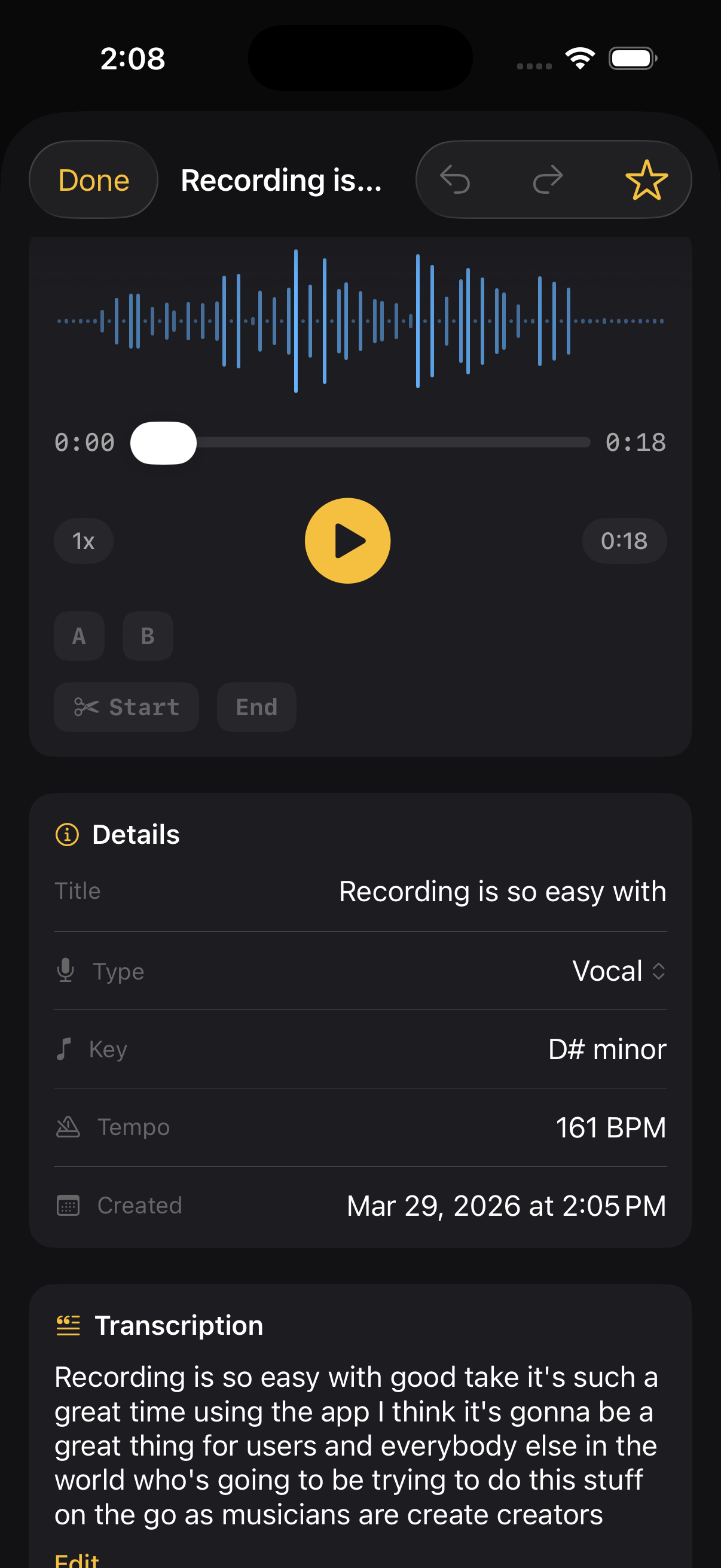
Instant on-device analysis detects the key, tempo, chords, and transcribes your vocals. Know what you played before you forget.

3

Organize

Search, filter, and tag your ideas. Group them into projects. Export audio, MIDI, or full project bundles to bring into your DAW.

Recording & Analysis

Know what you played
before you forget

  • Key detection — identifies the musical key instantly
  • BPM detection — tempo from onset analysis
  • Chord recognition — major, minor, dom7 chords detected
  • Transcription — speech-to-text in 60+ languages
  • Content type — auto-classifies as vocal, melody, chords, rhythm, or concept

Everything runs on your device. No data leaves your phone.

Idea detail with analysis results
Keyboard

A full keyboard, always with you

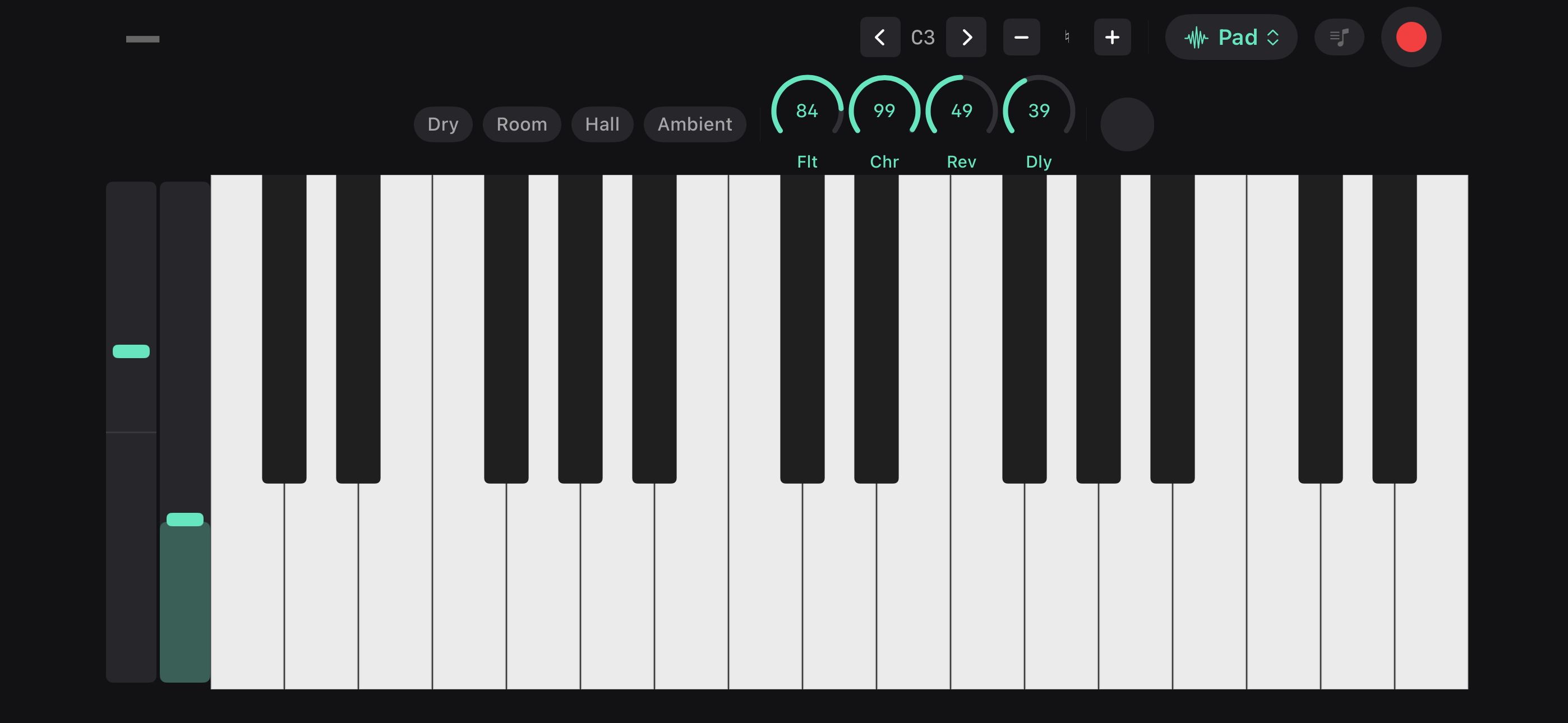
Work out melodies, test chord voicings, or just noodle between takes. Seven instruments, built-in effects, and scale lock so you never hit a wrong note.

Keyboard in landscape mode with effects
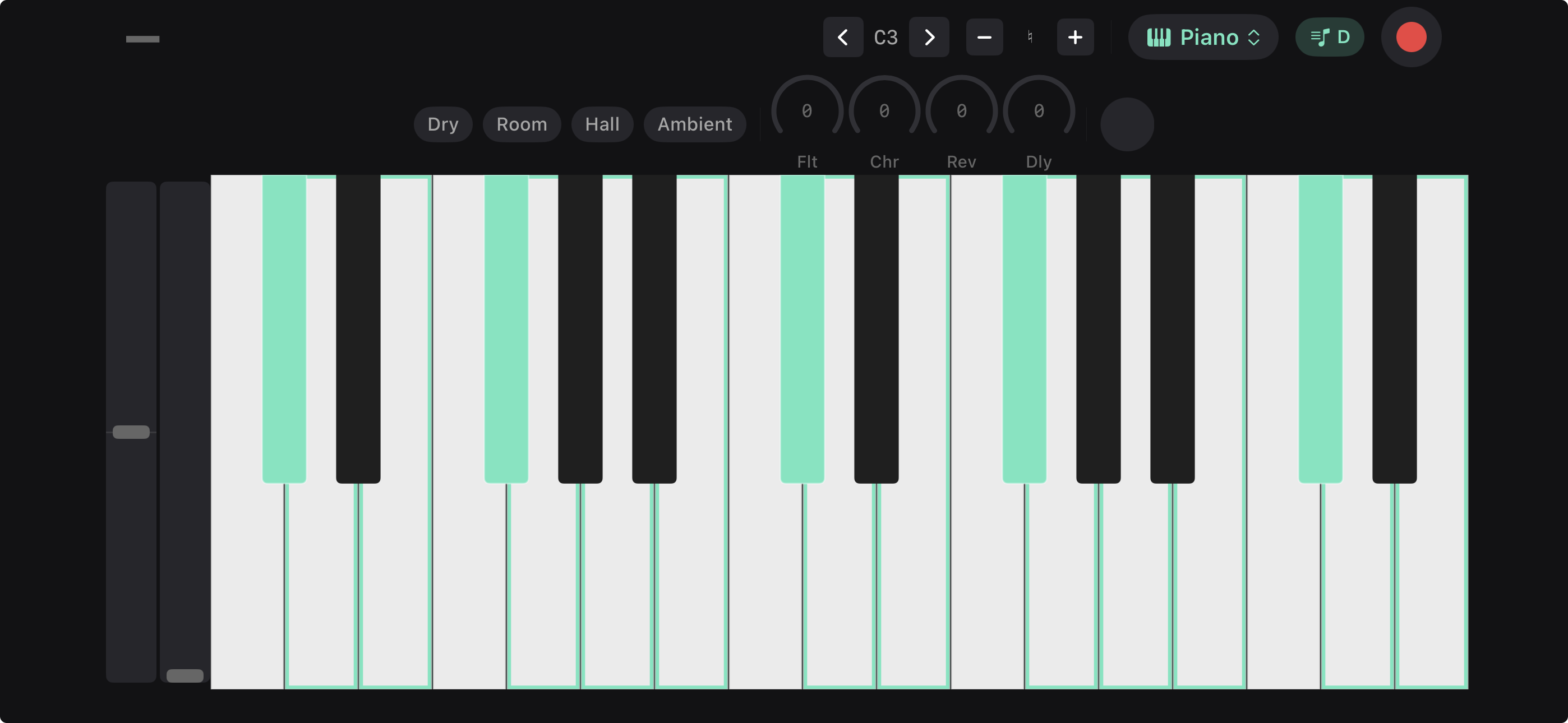
Keyboard with scale lock highlighting notes in key

Scale Lock

Lock to any key and scale — highlighted keys guide you, so every note fits. Great for exploring modes or writing in unfamiliar keys.

  • 88 keys — full range, scrollable
  • 7 instruments — Piano, EP, Organ, Pad, and more
  • Effects — filter, chorus, reverb, delay with knob control
  • Reverb spaces — Dry, Room, Hall, Ambient
  • Record to idea — capture what you play as audio
  • Landscape mode — rotate for a full-screen keyboard
Beats

A drum machine in your pocket

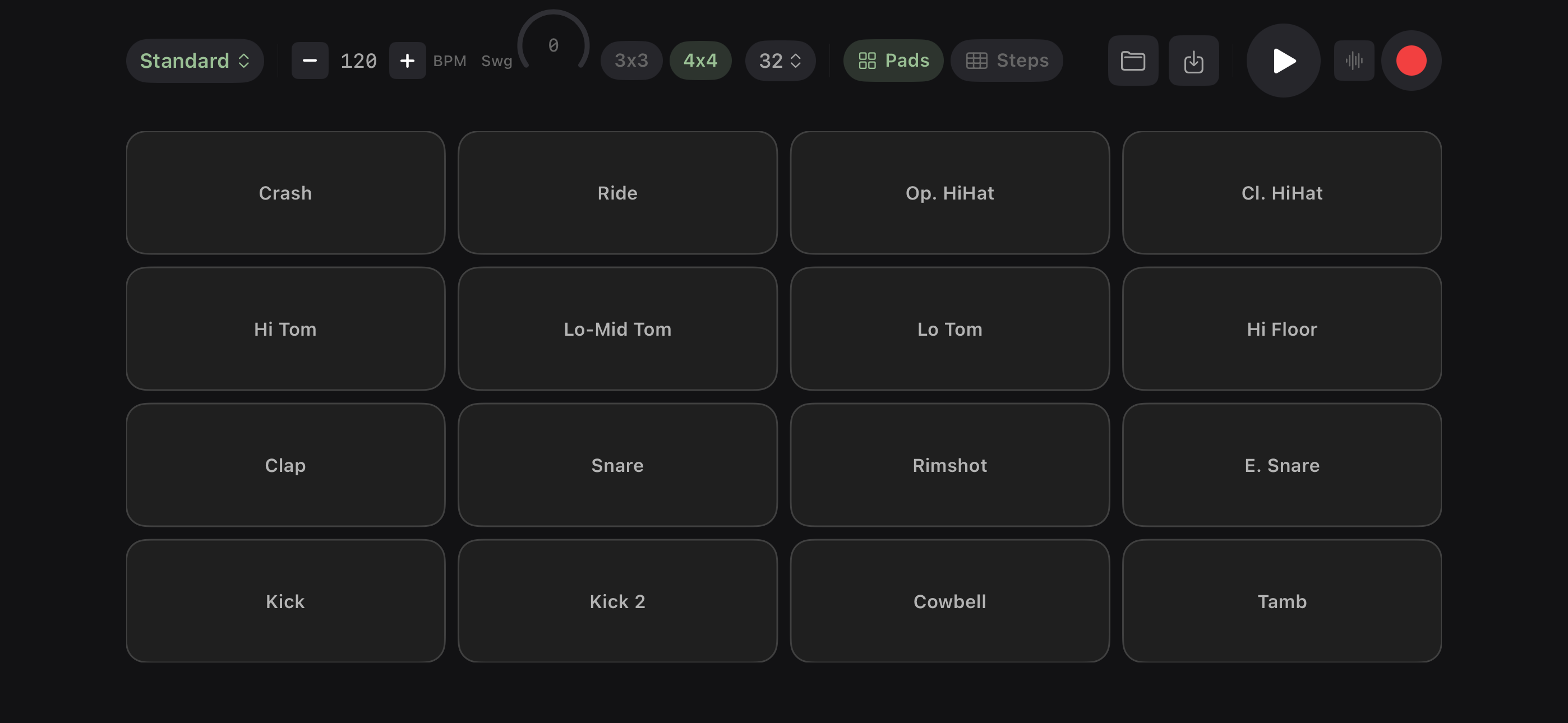
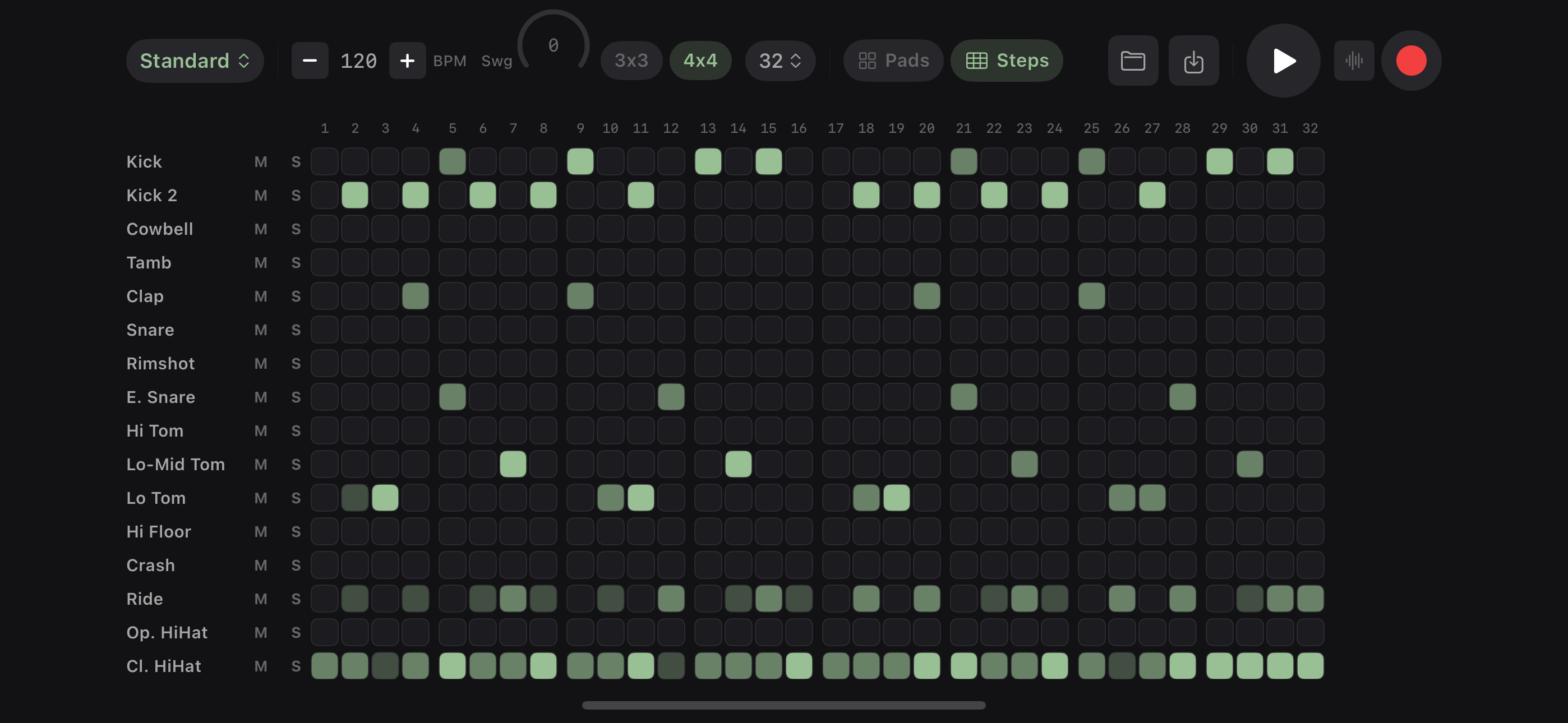
Two ways to build beats — tap them out on pads or program them step by step in the sequencer. Record patterns straight into ideas, export to your DAW, or just jam.

Drum pads in landscape mode

Pads

  • 16 pads — velocity-sensitive, tap and play
  • Multiple kits — Standard, 808, Lo-Fi, and more
  • Record to idea — capture patterns as audio instantly
  • Grid sizes — 3×3 or 4×4 layout
Step sequencer in landscape mode

Sequencer

  • Step programming — up to 32 steps per pattern
  • Swing — adjustable shuffle feel
  • Per-track control — mute, solo each instrument
  • Landscape mode — full-screen for detailed editing
Library & Projects

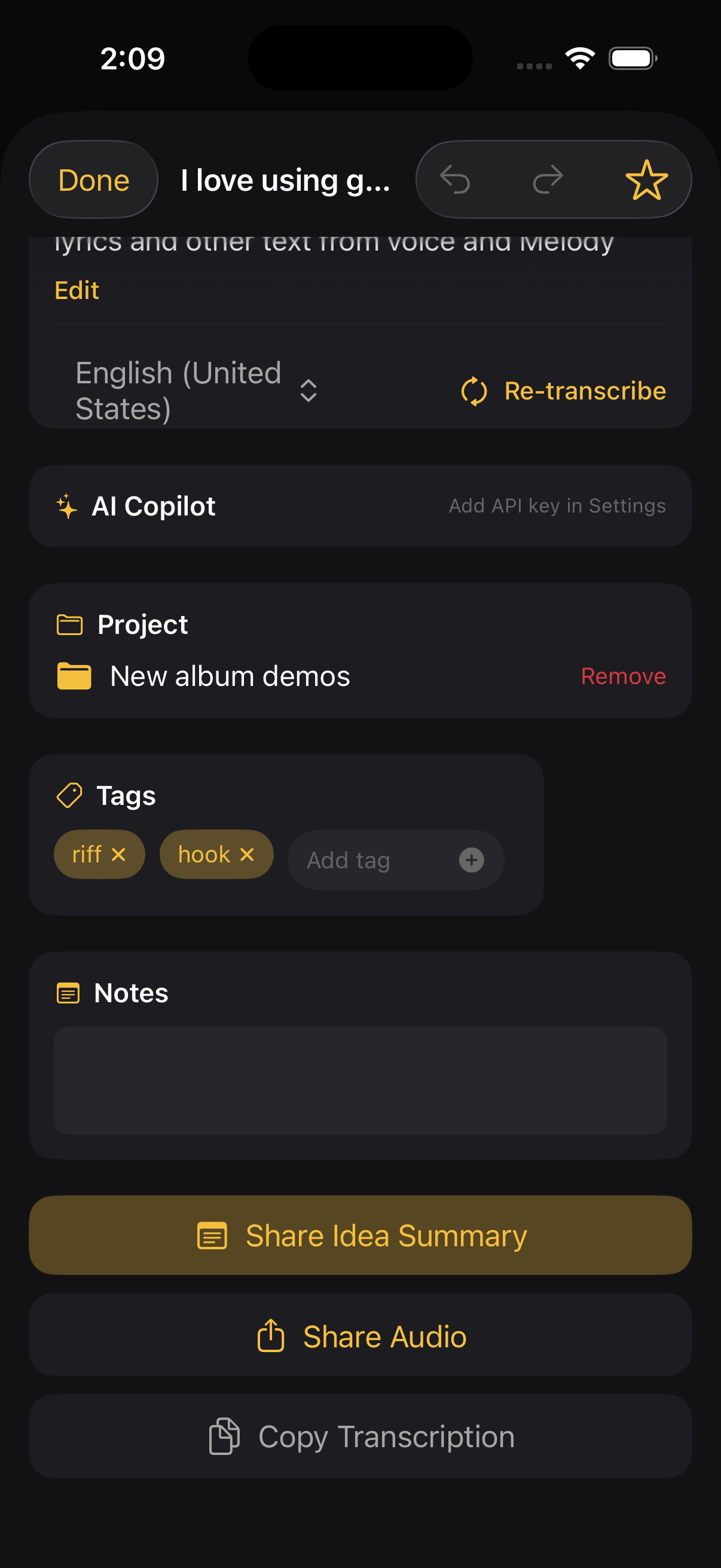
Every idea, findable

  • Search — by title, key, BPM, chords, or transcription
  • Filter & sort — by type, date, duration, or key
  • Tags — quick-tag on save, filter later
  • Projects — group ideas, add metadata, export as ZIP
  • MIDI export — melody and chord progressions for your DAW
  • iCloud sync — automatic across all your devices
Idea organization with tags and projects

Built-in tools for musicians

Everything you need between ideas — no extra apps required. Six more tools built in.

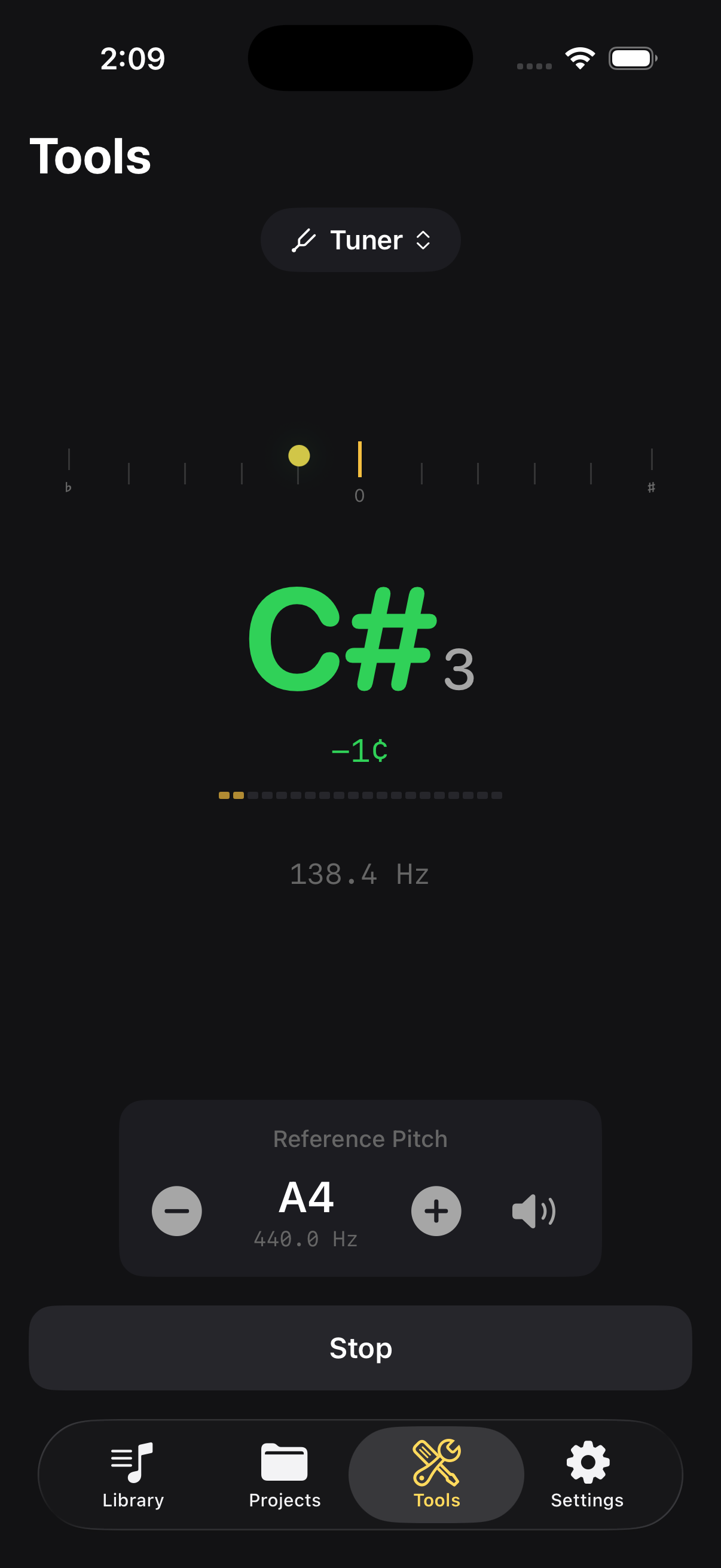
Chromatic tuner

Tuner

Real-time pitch detection with cents offset and reference tone.

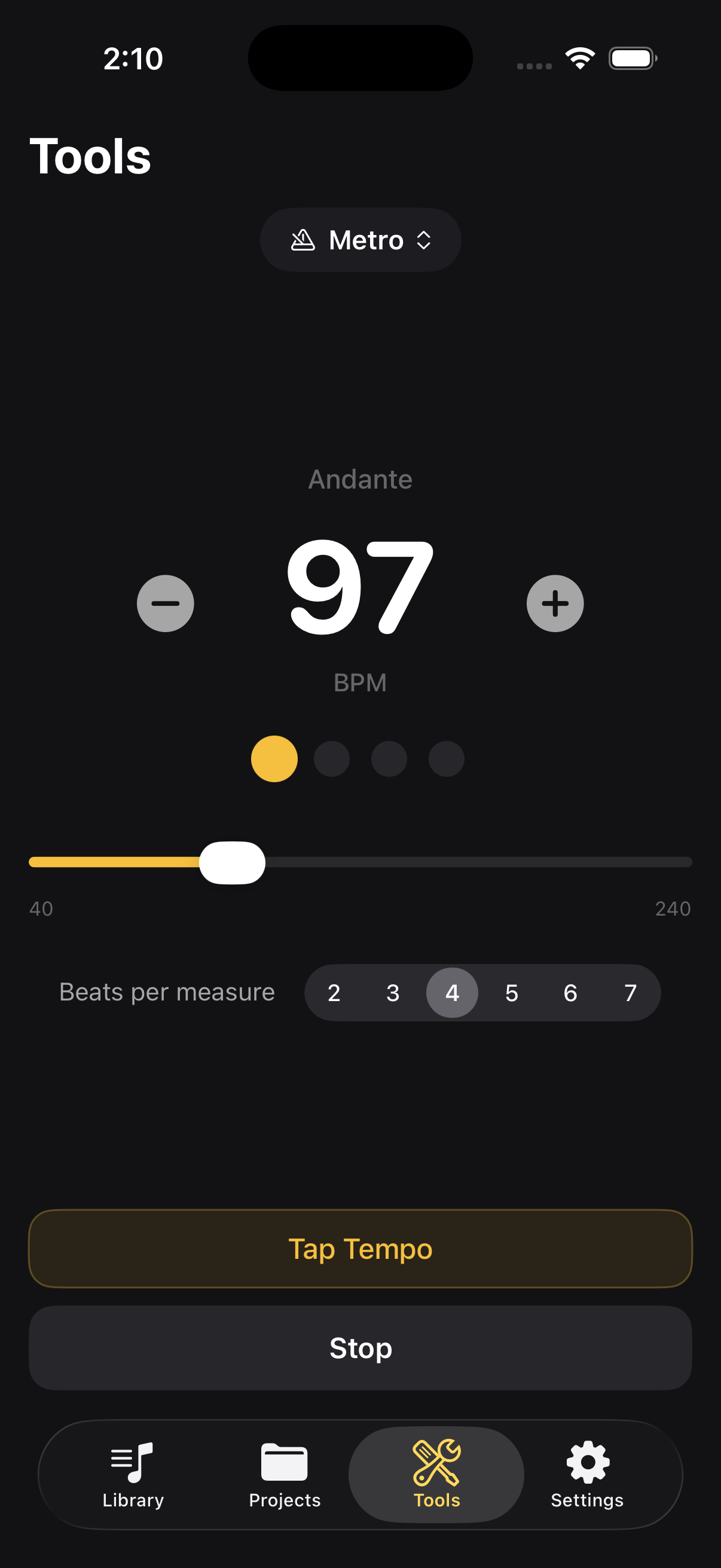
Metronome

Metronome

40-240 BPM, tap tempo, configurable beats per measure.

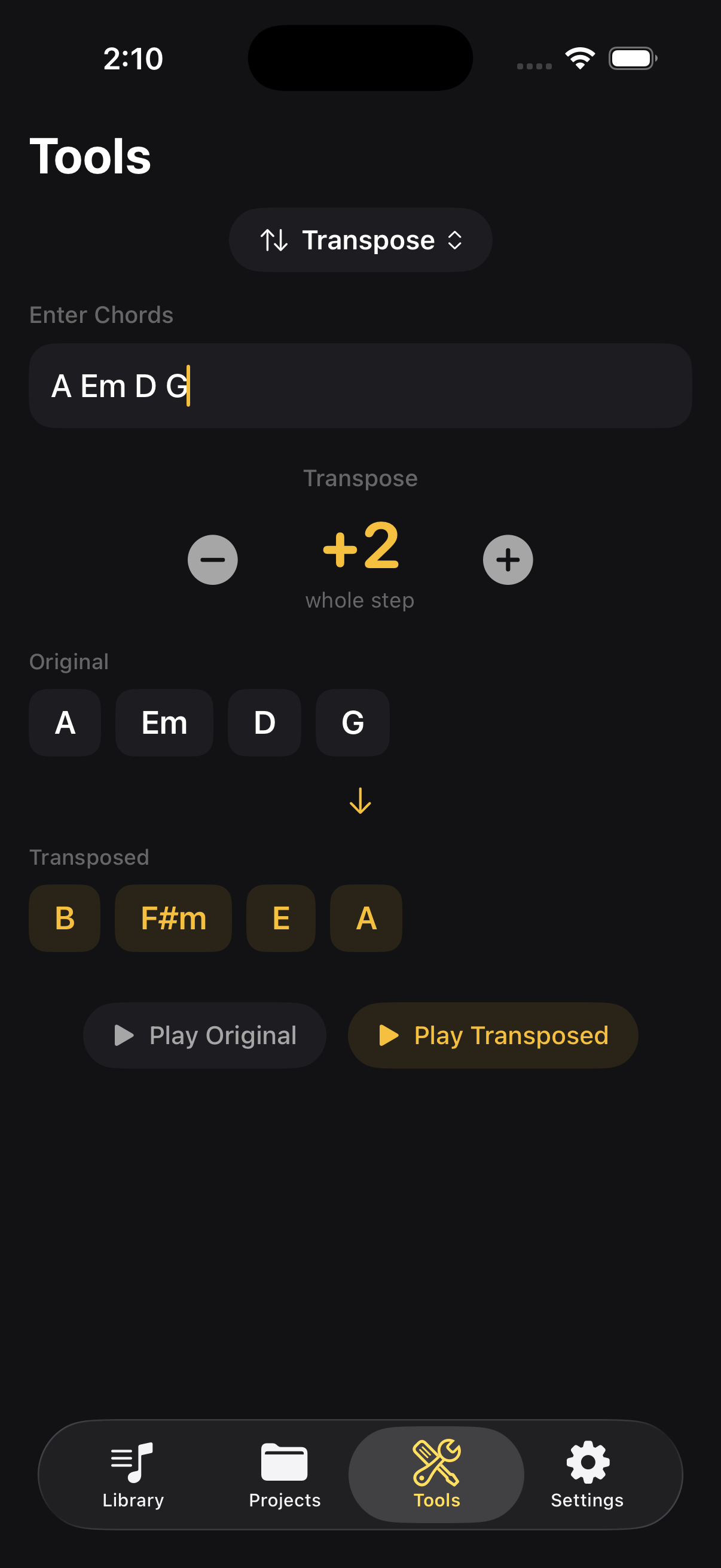
Chord transposer

Transposer

Transpose chord progressions by semitones. Hear both versions.

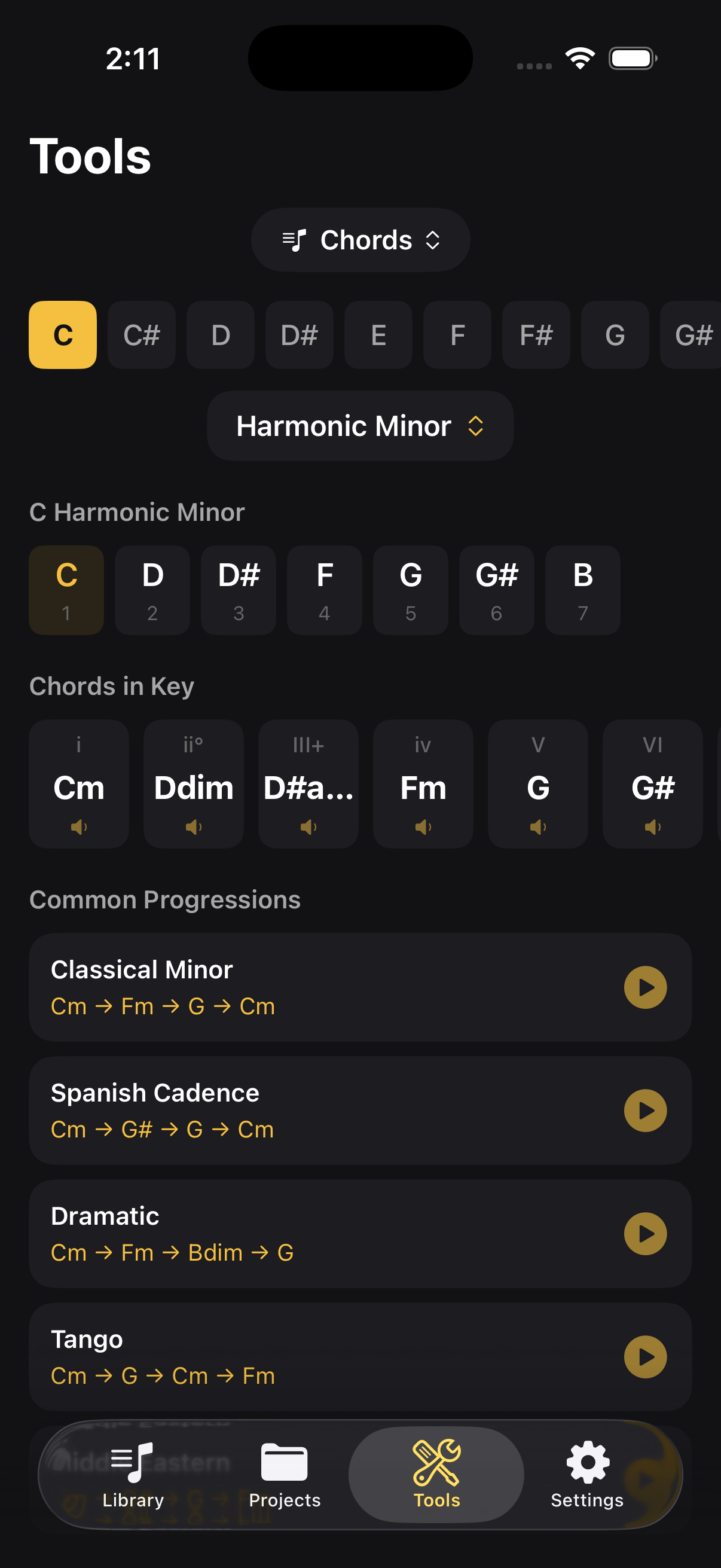
Chord and scale reference

Chord / Scale Reference

12 roots, 16 scale types, diatonic chords, common progressions.

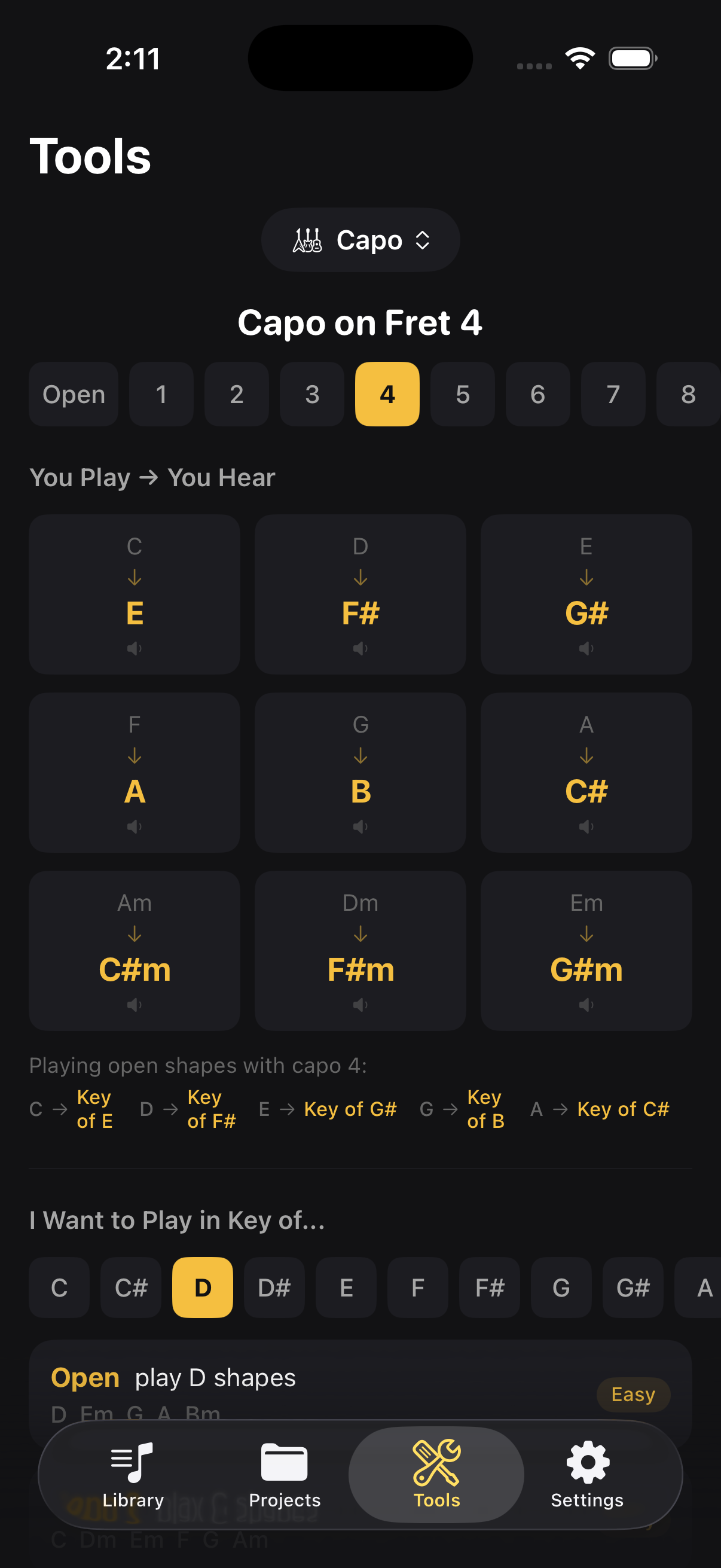
Capo chart

Capo Chart

Forward and reverse lookup. Know what you hear vs. what you play.

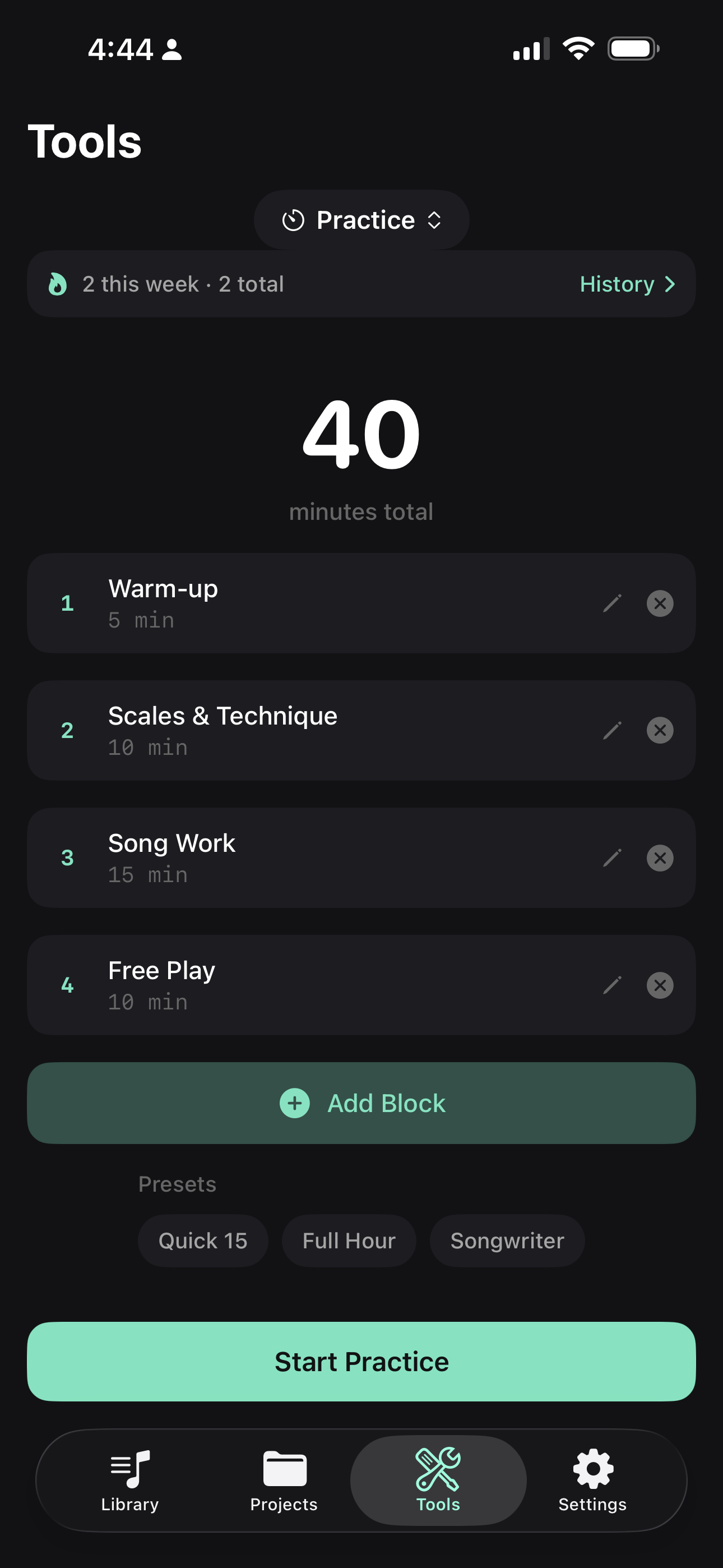
Practice timer with blocks and presets

Practice Timer

Block-based sessions with presets, history tracking, and notifications.

AI Copilot

Your good bandmate

Bring your own Claude or ChatGPT API key for context-aware musical suggestions. The AI sees your key, BPM, chords, and transcription — then suggests chord progressions, lyrics, arrangements, drum patterns, and more. Custom instructions let you shape the AI's style.

AI is optional and additive. Every core feature works completely offline.

Your ideas. Your device.

No account required

Start recording immediately. No sign-up, no login, no friction.

No subscriptions

No paywalls, no trials, no upsells.

No tracking

No analytics, no ads, no data collection. Zero third-party SDKs.

On-device processing

Key detection, BPM, chords, transcription — all of it runs on your device. Nothing gets uploaded.

iCloud sync

Optional sync through Apple's infrastructure. We don't run servers. We never see your data.

Your API keys, your Keychain

AI features use your own keys, stored in iOS Keychain encryption. We never see your keys or your requests.

Nothing leaves without you

No background uploads, no silent sync. Your recordings only leave your device when you hit export or share.

Delete means delete

Trash gives you 30 days to recover. After that, it's gone — from your device and nowhere else, because we don't have your data.

Stop losing ideas.

Good Take is available for iPhone and iPad — with an adaptive layout that makes the most of every screen size. Join the beta on TestFlight.

Join the Beta